
LEGO Camp Curriculum
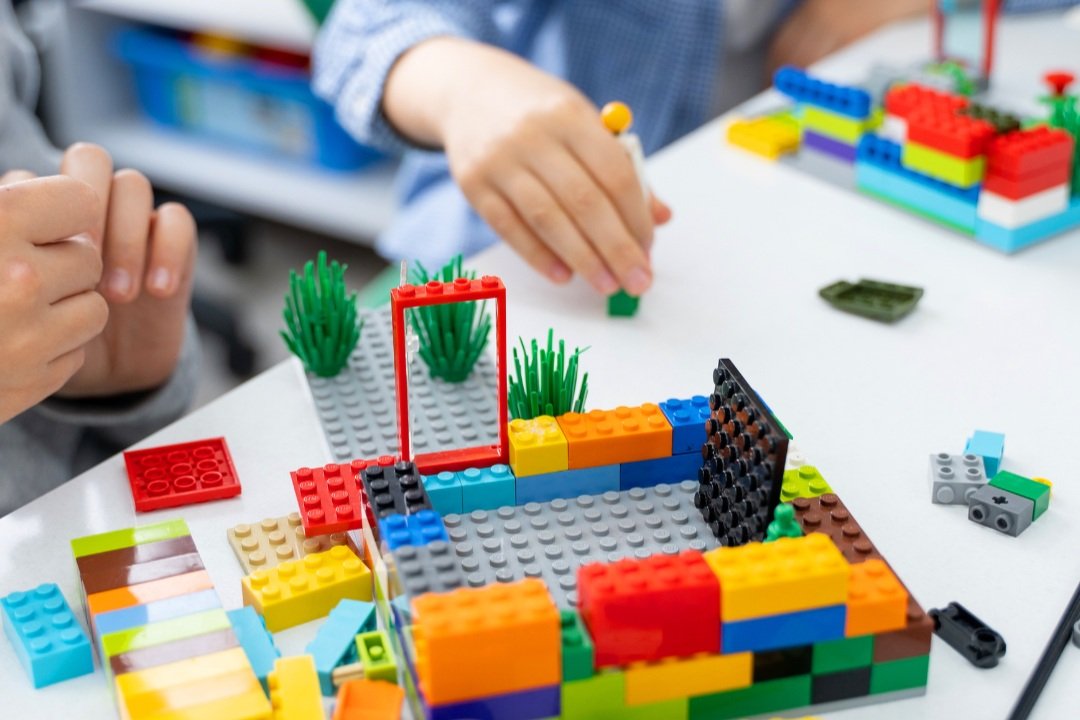
Week at a glance
| Day | Theme | SPIKE Project Filter | Co-Activity | Passport Pages | Wow Moment |
|---|---|---|---|---|---|
| Mon | BUILD DAY | No-motor builds. Foundational. SPIKE intro. | "Brick Hunt" speed-find game | 2–3 | First successful free-form build |
| Tue | SPIN DAY | Motor-only projects. First moving builds. | "Wind-Up Challenge" — make ANYTHING spin | 4–5 | Watching their build move on its own |
| Wed | SENSE DAY | Color sensor + distance sensor projects | "Sensor Detective" — what makes the sensor react? | 6–7 | The moment their build "notices" them |
| Thu | CODE DAY | Multi-step programs, if/then logic, loops | "Program-a-Buddy" — kid programs a counselor with code commands | 8–9 | A multi-step program runs perfectly |
| Fri | SHOWCASE + GALLERY DAY | Kid picks favorite build from the week and rebuilds it | Live build + parent demo at 11:55 | 10–11 + counselor signs back cover | Parents arrive to a working build the kid demos out loud |
Each day pairs the SPIKE Essential build (the anchor) with a GrowFit wrap activity (the co-activity) so the day stays high-energy and never devolves into "stare at the iPad alone."
📓 The Engineer Passport — Spine of the Week
Every camper gets a printed LEGO® Engineer Passport on Day 1. They decorate the cover Monday, sketch + reflect every day, and take it home Friday in a brown bag (with a counselor-signed back-cover certificate).
- Format: 12 pages, printed double-sided on 6 sheets of 8.5"×11", top-stapled. ~$0.30/passport.
- Page-per-day cadence: every day gets 2 passport pages (a build sketch + a reflection page). Plus a cover, Engineer Pledge, Friday showcase pages, counselor-signed back-cover certificate.
- Why it matters: LEGO® bricks go back in the SPIKE bin every day — the passport is the only thing kids take home, so it's the parent-facing artifact for the entire week. Continuity across days. The Friday gallery-walk centerpiece for parents.
What progresses across the week
- Complexity: simple click-together build (Mon) → motorized (Tue) → sensor-reactive (Wed) → multi-step programmed (Thu) → kid-driven showcase (Fri)
- Independence: counselor-led step-by-step (Mon) → counselor-coached + partner work (Tue–Thu) → kid-led rebuild + parent demo (Fri)
- Engineering vocabulary: part names + prototype (Mon) → motor + axle (Tue) → sensor / input / output (Wed) → sequence / loop / if-then / debug (Thu) → all of it together (Fri)
- Energy curve: focused-quiet (Mon, the learning ramp) → high-movement (Tue, spinning builds get rowdy) → puzzle-focused (Wed) → high-frustration-then-triumph (Thu, debugging) → ceremonial + family-facing (Fri)
- Friday is "Gallery Day." Every camper's favorite build from the week is rebuilt live for parents at 11:55 arrival. Parallels Art Friday + Science Friday.
Daily photo moment (consistency for parent socials)
Same photo wall every day (corner of the room with a "GrowFit LEGO® Engineering Lab" sign + plain colored backdrop). Take both:
- Individual — camper holding today's SPIKE build at chest level. Their build is the hero.
- Group — themed daily salute:
- Mon — Brick Salute: kids hold their build high overhead, big grin
- Tue — Spin Squad: kids spin in place once, then strike a "ta-da" pose with the build
- Wed — Sensor Squad: kids hold their build pointed AT the camera (like the sensor is "looking at us"), counselor narrates "the sensor sees you!"
- Thu — Code Squad: kids freeze in a robot pose, arms bent at right angles, deadpan faces
- Fri — Engineer Squad: safety-glasses pose (hands cupped around eyes like goggles), favorite build held in front of chest — parents in the back row for the family shot
Counselors upload both to the daily folder by 12:15 PM for Russ to push to socials and parent email.
Critical: photograph today's individual builds before they get broken down at 11:45. The build only exists for a few hours. The photo is the only proof.
🛡️ Hard safety rules across the week
- Bricks are NOT food. Smallest pieces (1x1 plates, connector pins, technic pins) are choking hazards. Repeated at start of every day, especially Monday and especially after snack.
- Bricks STAY in the bins or on the table. No throwing. No pocketing.
- iPads stay flat on the table. No carrying across the room. Charger cables are trip hazards — taped down by counselor at setup.
- Motors get warm with extended use — not hot, but warm. If a kid says their motor is hot, swap it out and check the SPIKE app for an error code.
- The "I Need a Brick" rule: kids do NOT dig through the bin for 10 minutes. If they can't find a piece in 30 seconds, they raise a hand and a counselor helps. Saves time, saves the bin organization.
- End-of-day bin count. Counselor visually inspects each SPIKE bin against the LEGO Education inventory card every Friday. Missing pieces = email Russ to reorder before the next session.
- No food or drink near the SPIKE bins. Snack stays at a separate table.
Counselor pre-camp checklist (Sunday night before Week 1)
- All SPIKE Essential kits inventoried against the LEGO Education inventory card (16 kits for 16 campers, OR 8 kits for 2-per-kit pairs)
- iPads charged (16 of them) + SPIKE App opened, signed in, and verified on each one
- SPIKE App version current per LEGO Education's release notes (check Sunday night, not the morning of)
- Charging cables taped down at the build tables
- Engineer Passports printed, stapled, and stacked — 20 passports (16 campers + 4 spares). Print Sunday night, top-staple, stash in a labeled bin
- Photo wall set up + "GrowFit LEGO® Engineering Lab" sign printed
- SPIKE project selection complete per the SPIKE PROJECT SELECTOR accordion at the bottom of this page — counselor has identified the 5 projects to run Mon–Thu (Friday is "kid's pick") and has done a personal demo build of each one in the prior week
- Counselor demo builds photographed and posted on the camp-room wall for kids to see what's coming
- Brown paper grocery bags (16 + spares), named with Sharpie, stacked by the door for Friday pack-out
- Parent take-home printable (one for the week) printed in a stack of 20
What we deliberately do NOT do this week
- We don't recreate SPIKE lesson content. LEGO Education's curriculum is built by professional educators. Counselors run the lessons as designed.
- We don't send LEGO® bricks home. Every brick goes back in the bin. The passport is the take-home.
- We don't run "free play" as a default. Free play is the wildcard reward when the SPIKE build wraps early — never the plan. (Free play is a great 5-minute reward; it's a bad 30-minute plan.)
- We don't pair kids randomly. Pairing is intentional — counselor sets pairs Sunday by reviewing the camper roster and matching for energy + age + experience. Pairs stay together all week to build trust.
📅 DAY 1 — MONDAY: BUILD DAY (SPIKE Essential Intro) ← click to expand
Theme: Build Day — Meet the SPIKE Essential Kit Wonder Question: "If you had ONE giant box of LEGO® and ONE hour — what's the FIRST thing you'd build?" SPIKE project today: Counselor's pick from the BUILD DAY category per the SPIKE PROJECT SELECTOR (see accordion at the bottom of this page) — a no-motor foundational build (e.g. one that introduces beams, bricks, plates, axles, connector pins without yet using the motor). Take-home: LEGO® Engineer Passport (kept at camp through Friday — goes home in the brown bag on Day 5) Photo moment: Group "Brick Salute" — kids hold today's build high overhead, biggest grin
🧠 Learning goals & SEL focus
- Engineering: part vocabulary (brick, plate, tile, beam, axle, connector pin), the prototype mindset (first version isn't the final version), reading SPIKE step-by-step instructions
- SPIKE app fluency: opening a lesson, following the build sequence, tapping through screens (no programming yet today)
- SEL: sharing the bin (no piece-hoarding), patience with partners, "engineer voice" (calm focused communication, not shouting "I NEED THE RED ONE")
🛠️ Materials per camper (group of 16)
SPIKE Essential:
- 1 SPIKE Essential set per pair (8 kits for 16 campers, OR 16 kits if 1-per-kid is preferred — counselor's call based on space + kit count)
- 1 iPad per pair (8 iPads), charged, SPIKE App open, signed in
- Charging cables taped down at the build tables (mandatory)
- Counselor demo build pre-built the night before, displayed at the front
Passport (the spine of the week):
- 1 LEGO® Engineer Passport per camper (printed + top-stapled Sunday night) — distributed today, decorated cover today, used every day
- Crayons or thin markers at every station for cover decoration + drawings
- Pencils at every station for writing reflections
Co-Activity — Brick Hunt:
- A pre-made list of 10 specific SPIKE Essential pieces to find (printed, 1 per pair)
- Stopwatch (counselor uses)
Counselor / shared:
- "GrowFit LEGO® Engineering Lab" photo wall sign
- Small whiteboard or flip chart at the front for visual support
- Name tags + a Sharpie
⏰ Schedule
9:00 – 9:15 | Welcome + Theme Hype + Wonder Question + Passport Handout (15 min)
- Counselors greet at the door with high-fives; campers find their assigned seat (counselor sets pairs Sunday — same pair all week).
- At each spot: a stapled Engineer Passport with the camper's name written on the front in Sharpie.
- Counselor hype (high energy):
"Welcome to the GrowFit LEGO® Engineering Lab! This is the week you become a REAL ENGINEER. Today is BUILD DAY. You're going to meet your SPIKE Essential kit — which has THOUSANDS of pieces — and build your first build. By Friday you'll be running programs, using sensors, and showing your parents a build that MOVES ON ITS OWN. Are you ready?"
- Wonder Question read-aloud:
"If you had ONE giant box of LEGO® and ONE hour — what's the FIRST thing you'd build?"
- Show the counselor's demo build (built the night before). "By 11:30, every one of you will have built one of these. And tomorrow, this one MOVES."
- Passport handout (4 min): "This is YOUR Engineer Passport. You're going to draw + write in it every day this week, and it goes home Friday. Right now — flip to the COVER. Draw YOURSELF as an engineer. Safety glasses, big smile, holding the biggest LEGO® brick you can imagine. You have 3 minutes."
- Engineer Pledge (2 min): counselor reads page 1 aloud; every camper writes their name on the line + signs the bottom. "You are now officially LEGO® engineers."
- Safety contract (60 sec, every camper repeats): "Bricks are not food. Bricks stay in the bin or on the table. I will help my partner. I will put every piece back at the end."
9:15 – 9:35 | Warm-up: Body-Build Game + Part Name Crash Course (20 min)
Get the vocabulary into their bodies before they touch a real brick.
- First 10 min — Body-Build: counselor calls a "build" and kids form it with their bodies.
- "Make yourself into a TOWER!" (stand tall, arms straight up)
- "Now make a CAR!" (kid lies on back, legs as wheels in the air)
- "Now make a BRIDGE — with a PARTNER!" (pairs hold hands and arch)
- "Now make a ROBOT!" (kids stiff-arm walk like robots)
- Last 10 min — Part Name Crash Course: counselor holds up real LEGO® pieces one at a time from the SPIKE bin and names them with kid-friendly tags:
- "This is a BRICK. It's thick + has bumps on top."
- "This is a PLATE. It's THIN. Like a brick squashed down."
- "This is a TILE. It's smooth on TOP — no bumps."
- "This is a BEAM. Long flat piece with holes."
- "This is an AXLE. The long stick that things spin on."
- "This is a CONNECTOR PIN. The tiny grey or black peg."
- After each, kids repeat the name in a chorus. Quick game: counselor holds 2 pieces up, kids shout the right name.
- Counselor seal: "Knowing the names is half of engineering. Now you can ASK for the right piece instead of pointing."
- Younger camper (6–7) tip: stick to 4 part names today (brick, plate, axle, pin). Beam + tile can wait until Tuesday.
- Older camper (8–9) stretch: "What's the difference between a 2x4 brick and a 2x4 plate?" (Both same footprint, plate is ⅓ as thick.)
9:35 – 10:15 | Anchor Part 1: First SPIKE Build (40 min)
The first time campers touch the kit.
- Pair-up + kit assignment (3 min): counselor announces pre-set pairs. "Pair One — bin #1, iPad #1, the back-left table. Pair Two — bin #2, iPad #2, …"
- iPad + SPIKE App tour (5 min): counselor walks the room to the screen. "Tap the project, tap PLAY, see the parts list, see the instructions. The instructions are 3D — you can rotate them with your finger. Try it."
- Build (32 min): kids follow the SPIKE Essential build instructions for today's selected no-motor project. Counselors circulate with three jobs:
- Find-the-Piece SOS — if a pair raises a hand "we can't find the X," counselor helps in 30 sec. Don't let pairs dig for 5 min.
- Instruction confusion — sometimes the SPIKE step jumps. Help kids re-read the picture.
- Pace-keeping — at 10 min, 20 min, 30 min, call out "we're at step 5! Halftime! Wrap it up!"
- Counselor seal at 10:15: "Bricks STAY on the table — we'll come back to them after snack. Walk away from your build slowly."
10:15 – 10:30 | Snack + Brain-Break: "Brick or NOT a Brick" (15 min)
- All campers wash hands (sticky snack fingers don't mix with SPIKE pieces).
- Snack at the snack table (NOT the build table — keeps food away from bricks).
- Brain break: counselor calls items, kids shout "BRICK!" (clap hands together) or "NOT A BRICK!" (cross arms). Items: lego brick (brick!), shoe (not a brick), iPad (not a brick), connector pin (BRICK — it's a LEGO® piece), an actual real brick from a wall (not a LEGO® brick — tricky!), a pebble (not a brick). Mix it up.
10:30 – 11:00 | Anchor Part 2: Finish + Test + Remix (30 min)
- Finish the build (15 min): pairs return to their builds and finish what didn't get done in part 1. Counselors do a triage walk — any pair stuck on step X? Counselor jumps in.
- Test (5 min): every build gets a "does it work?" moment per the SPIKE lesson (e.g. does the bridge hold a counselor's pencil, does the chair hold a brick).
- Remix (10 min): "You've built it as designed. NOW — can you add ONE thing? A flag? A roof? A doorbell? Engineers iterate." Pairs grab 5–10 more pieces and add their own customization. Counselor cue: "It doesn't have to make sense. It just has to be YOURS."
11:00 – 11:30 | Co-Activity: Brick Hunt Speed-Find (30 min)
A bin-organization-AND-vocabulary game that doubles as inventory practice.
- Setup (5 min): counselor hands each pair a printed "Brick Hunt" list of 10 specific pieces (e.g. "1x a yellow 2x4 brick," "1x a red axle 6 studs long," "1x a green tile"). The pairs' job is to find every piece in their SPIKE bin and lay them out on a paper towel.
- Race rounds (20 min):
- Round 1 (5 min) — easy: all 10 pieces are common. First pair to find all 10 + put them on the paper towel WITHOUT taking anything out of the bin that's not on the list wins a "goofy" verbal cheer.
- Round 2 (10 min) — medium: the list has 5 specific pieces (color + size + count). Pairs hunt. Counselor calls time at 8 min.
- Round 3 (5 min) — bonus: "Find the WEIRDEST piece in the bin and bring it up." Counselor judges. Universal cheer for everyone.
- Counselor seal: "Every engineer needs to know their parts. Every engineer needs to put them BACK."
- Bin reset (5 min during round 3): as kids finish, they return all Brick Hunt pieces to the bin compartments. This is the daily bin-reset cue — kids learn the bin layout.
11:30 – 11:45 | Gallery Walk + Passport Beat + Photo Moment (15 min)
- All campers stand behind their built + remixed SPIKE creations.
- Passport beat (5 min): "Open your passport to pages 2 and 3. On page 2 — sketch your build, give it a name, write what it does. On page 3 — check the part names you used today, draw your favorite piece, and tell me how many prototypes you built." Counselor circulates and helps younger kids spell.
- Walk past every pair's build in a single loop.
- One-sentence share: "Our build is called ___ and the coolest part is ___."
- Photo wall:
- Individual: each kid holding their build at chest level.
- Group: "BRICK SALUTE!" — kids raise builds high overhead. 3 shots.
- Critical: photograph EVERY build before takedown. The build only exists today.
11:45 – 12:00 | Takedown Game + Passport Storage + Goodbye Cheer (15 min)
- "Bin Race": pairs race to disassemble their build + sort every piece back into the SPIKE Essential bin's correct compartment. Counselor checks each bin against the kit layout before pair is "released." First pair done = goofy victory cheer.
- Charging cables back on iPads. iPads slot back into the charging station.
- Passport stays at camp: counselor collects every passport and stores in the named bin at the lab. "Your passport stays here all week so it doesn't get lost. You'll get it back home FRIDAY — promise."
- Goodbye cheer: "GrowFit LEGO® Engineers — DIS-MISSED! Tell your parents about your first build! Tomorrow we MOTORIZE!"
💬 Counselor tips
- The night before: pre-build the day's SPIKE Essential project yourself. Twice. Once to learn the build, once to time it. If it takes you 35 min, it'll take a pair of 7-year-olds 50 min. Pick a project you can finish in 30 min as an adult.
- Inventory the SPIKE bin against the LEGO Education inventory card before kids arrive. Missing pieces = the kit doesn't work. Tape a list of "known missing" to the bin lid if any pieces are out.
- Charge ALL iPads to 100% Sunday night. Two pairs sharing a dying iPad mid-build is a meltdown.
- The first day is the SLOWEST day. Kids are learning the kit, the app, the bin, the pieces, AND their partner. Build for slowness. Don't pick the most ambitious SPIKE project today — pick a foundational one.
- Pair-pick matters. Don't pair the two loudest kids together. Don't pair the two quiet kids. Mix energy. Mix experience (any kid who's done a SPIKE/Boost class before? Pair them with a first-timer).
- The "I'm DONE!" kid: if a pair finishes the build in 20 minutes, give them a remix challenge: "Can you add wheels to it? Can you make it taller?" Don't let them sit.
- The "I CAN'T FIND IT" kid: 30-second rule. After 30 sec of fruitless searching, counselor steps in. Saves the day, saves the bin.
🛟 Safety call-out
- LEGO® pieces are NOT food. The smallest pieces fit in noses, ears, and throats. NEVER in your mouth.
- Bricks stay in the bin OR on the table. Never in your pockets, your backpack, or the floor.
- iPads stay FLAT on the table. Don't pick them up and walk with them.
- If a piece goes on the floor, pick it up immediately and put it back.
- Charging cables are tripping hazards — walk slowly around the build tables.
🎯 Parent take-home — Day 1
Your camper became a LEGO® ENGINEER today! Today was BUILD DAY — meeting the SPIKE Essential kit, learning real engineering part names (brick, plate, axle, beam, connector pin), and completing their first build with a partner. No physical LEGO® goes home this week — the SPIKE bricks are reused every day. Instead, your kid is filling out a printed Engineer Passport that comes home Friday with every day's sketches and reflections inside. Ask tonight:
- "What part name did you learn today?"
- "What did you build?"
- "Who is your partner this week?" Tomorrow: SPIN DAY — your kid's build MOVES. Wear clothes they can sit on the floor in for the warm-up.
📅 DAY 2 — TUESDAY: SPIN DAY (First Motorized Builds) ← click to expand
Theme: Spin Day — The Motor Enters Wonder Question: "What's the FIRST thing you'd attach a motor to if you could motorize ANYTHING?" SPIKE project today: Counselor's pick from the SPIN DAY category per the SPIKE PROJECT SELECTOR (bottom of page) — a project that uses the SPIKE motor for rotation (wheels, fan, spinner, propeller, simple vehicle). Take-home: Engineer Passport (still at camp — goes home Friday) Photo moment: Group "Spin Squad" — kids spin in place once, then "ta-da" pose with the build
🧠 Learning goals & SEL focus
- Engineering: the motor as input → axle as transmission → wheels/fan as output. Power on, power off. Speed control.
- Vocabulary: motor, axle (refresher), transmission (the chain from motor to moving part), RPM (rotations per minute — counselor uses kid-friendly "how fast it spins")
- SEL: patience while the motor is finicky, celebrating partners when their build moves, the resilience moment when the first spin attempt FAILS (motor's not connected to the right port, or the axle isn't properly seated)
🛠️ Materials per camper (group of 16)
SPIKE Essential:
- Same kits as Day 1 (kept in storage overnight, returned to tables today)
- iPads charged, SPIKE App updated + opened to the project
- Motor swap test: counselor verifies all 8–16 motors work BEFORE camp starts (plug into hub, run a 2-sec spin test). Any dead motor = swap from a spare or contact LEGO Education for warranty replacement
- Counselor demo of today's motorized SPIKE project, pre-built and pre-tested
Passport (carried over from Monday):
- Each camper's Engineer Passport — returned from the lab bin at sign-in, pre-opened to page 4 at their seat
- Pencils + crayons at every table
Co-Activity — Wind-Up Challenge:
- A pile of "spinable" SPIKE pieces set aside (extra wheels, gears, axles, fans)
- 4 "starter motors + axles" wired into hubs as standalone "make-it-spin" stations
- A simple spinning demo at the front (counselor pre-built fan + wheel for inspiration)
Counselor / shared:
- "GrowFit LEGO® Engineering Lab" photo wall
- Charging cables taped down (same as Day 1)
- Small whiteboard for the day's mini-vocab lesson
⏰ Schedule
9:00 – 9:15 | Welcome + Theme Hype + Wonder Question + Passport Open (15 min)
- Counselors hand back each camper's Engineer Passport at the door. At each spot: passport pre-opened to page 4.
- "Yesterday we BUILT. Today the builds MOVE."
- Counselor hype:
"Today is SPIN DAY. The motor enters. Up until now, your LEGO® builds just SAT there. Today they SPIN. By 11:30 your build will be doing something on its own — moving across the table, flapping a flag, spinning a propeller. Motors are the magic. Let's go."
- Wonder Question: "What's the FIRST thing you'd attach a motor to if you could motorize ANYTHING?"
- Demo: counselor plugs the demo motor into the SPIKE hub + taps PLAY on the iPad. The build spins. Kids cheer. "By 11:30, every one of you has this."
- Passport beat (2 min): "Look at page 4. See the curved arrow? That means MOTION. Don't write yet — we'll come back to it after lunch. Right now — flip to page 5 and read the engineer word at the top: MOTOR. Say it after me. MOTOR."
- Safety contract: motors get WARM with use (not hot) — if your motor is warm, that's normal. Don't squeeze it.
9:15 – 9:35 | Warm-up: Newton-Style "Push + Spin" Game + Motor Word Crash (20 min)
- First 10 min — Spin-In-Place games:
- "Stand up — spin SLOWLY in place. 5 turns." (kids count, slow.)
- "Now spin FAST. 5 turns. Don't fall over."
- "Stop. What's it called when something spins around once? — A ROTATION. Say it after me. RO-TA-TION."
- "How many rotations did you just do? 5. That's 5 rotations. Now imagine if you did 100 rotations every minute. That's 100 RPM — that's how fast some motors spin."
- Last 10 min — Real Motor Hunt (in the room):
- "Look around the room. What things ROTATE? Find me 5." (Ceiling fan, doorknob, wheel on a chair, kid's spinning toy, the air vent's louvers, an iPad screen rotating, a watch hand — anything.)
- Kids point + counselor confirms. Big group check-off.
- Counselor seal: "EVERY motor turns electricity into rotation. Your SPIKE motor does the same thing — just smaller."
- Younger camper (6–7) tip: keep it physical, skip the "RPM" math. "FAST spinning" and "slow spinning" is the entire physics lesson.
- Older camper (8–9) stretch: "What's faster — a fan or a wheel?" Open question — let them debate.
9:35 – 10:15 | Anchor Part 1: First Motorized Build (40 min)
- Pair re-up (1 min): same pairs as Monday. Same kits. Same iPads. Same seats. Continuity = focus.
- Today's project intro (4 min): counselor walks the front: "Today we're building [X — whatever the SPIKE Essential project is]. Watch what it does." Run the counselor demo. Kids ooh.
- Build (35 min): pairs follow the SPIKE Essential instructions for the day's motorized project. Counselors circulate with three jobs:
- Motor connection check — at minute 15, walk the room and verify every kid's motor is plugged into the correct hub port BEFORE they tap PLAY. Saves a meltdown later.
- Find-the-piece SOS (30 sec rule still applies).
- Pace-keeping — call halftime at minute 20 ("Halfway done! Where are you?")
- Counselor seal at 10:15: "Bricks STAY. Motors STAY. Walk away slowly."
10:15 – 10:30 | Snack + Brain-Break: "Robot Walk" (15 min)
- All campers wash hands (motor grease is rare but happens with newer motors).
- Snack at the snack table.
- Brain break: counselor calls "ROBOT WALK!" — kids stiff-arm walk like robots around the room, beeping. "FAST ROBOT!" — they speed up. "BROKEN ROBOT!" — they go floppy. "REBOOT!" — they freeze for 3 seconds, then resume. 2 min of pure energy + a callback to "code" coming Thursday.
10:30 – 11:00 | Anchor Part 2: Test + Iterate the Spin (30 min)
THIS IS THE MAGIC MOMENT.
- First spin (10 min): every pair gets the SPIKE app to the "test" page. On the counselor's count of 3, every pair taps PLAY. The room erupts — wheels turn, fans spin, propellers wave. Counselor walks the room cheering EVERY build that moves. Counselor troubleshoots any build that doesn't (usually: motor port mismatch — fix in 30 sec).
- Speed remix (10 min): counselor shows the kids how to change the motor speed in the SPIKE app (a slider or number input — varies by project). "What if you make it FASTER? Try it. What if you make it SLOWER? Try it."
- Direction remix (10 min): "Now make it spin BACKWARDS. Tap the reverse button." Builds reverse direction. Kids re-cheer. Pairs experiment with start-stop-reverse-start-stop combos.
- Counselor seal: "You just made a build MOVE on command. You are running a tiny machine."
11:00 – 11:30 | Co-Activity: Wind-Up Challenge (30 min)
A free-form spinning build challenge. Pairs grab the "spinable" pieces pile and motor-up something new — anything that spins.
- Brief (3 min): "Here's a pile of extra wheels, gears, axles, and fans. There are 4 starter motors over here on the wall — already wired in. Your job: in 25 minutes, make SOMETHING SPIN. Could be a ride for an action figure, a giant fan, a spinning art machine. Surprise me."
- Build + test (25 min): pairs design, build, motor-up. Counselors circulate.
- Last 2 min — show & spin: counselor calls "lightning round!" Every pair holds up their thing, presses go, watches it spin. Quick cheer for every one.
11:30 – 11:45 | Gallery Walk + Passport Beat + Photo Moment (15 min)
- All campers stand behind their Anchor Part 1 build (the SPIKE project — NOT the Wind-Up creation, because the SPIKE build is the "official" one that goes in the passport).
- Passport beat (5 min): "Open your passport to pages 4 and 5. On page 4 — sketch your build, circle what it did (rolled / spun / flew / walked / waved), write where the motor went. On page 5 — fill in 'the coolest thing was…' and answer the big dream question 'if I had all the motors in the world, I would build a LEGO® ___ that spins the ___ so it can ___.'" Counselor circulates and helps younger kids.
- One-sentence share: "My build [verb] the ___ when I press play."
- Photo wall:
- Individual: each kid holding their motorized build at chest level — counselor presses PLAY in the moment so the build is photographed WHILE MOVING (motion blur shot).
- Group: "SPIN SQUAD!" — kids spin in place once, then strike a "ta-da" pose with the build. 3 shots.
11:45 – 12:00 | Takedown Game + Passport Storage + Goodbye Cheer (15 min)
- "Pit Crew" cleanup: pairs disassemble + sort to bin. Counselor walks each bin against the kit layout. iPads back on the charger. Motors back in their compartment.
- Wind-Up creations come apart too (no two builds survive overnight — bricks go back).
- Passports back in the bin: counselor collects every passport, checks pages 4 + 5 for completion, stores in the named lab bin.
- Goodbye cheer: "GrowFit Engineers — DIS-MISSED! Tomorrow your build is going to SEE you!"
💬 Counselor tips
- The biggest Tuesday risk is "motor doesn't work." Pre-test EVERY motor before camp. A dead motor mid-build is a meltdown. Keep 1–2 spare motors charged + tested.
- SPIKE App port reminder: the motor has to be plugged into a specific port (usually A, B, C, D — varies by project). Kids will guess. Counselor double-checks at minute 15 before tap-play.
- Speed slider is a focus trap. Some kids spend 10 min sliding the speed up and down. Set a 2-min "speed experimentation" window, then move on.
- The reverse button is a HUGE delight. Some kids will spend forever flipping forward-reverse-forward-reverse. Let them — that IS understanding the motor.
- Wind-Up Challenge is intentionally chaotic. Counselor's job is not to perfect every build — it's to ensure NO ONE sits idle. If a pair is stuck, hand them a wheel + axle and say "make THIS spin."
- The motion-blur photo of the moving build is the parent-social gold of the day. Press PLAY, then snap.
🛟 Safety call-out
- Motors get WARM with use. Don't squeeze them or set them on cloth (could overheat).
- Spinning builds can be ZIPPY — keep fingers AWAY from gears and motor parts while they're running.
- Don't try to STOP a spinning motor with your hand. Press PAUSE on the iPad.
- LEGO® rule still in effect: no bricks in mouths/ears/noses.
🎯 Parent take-home — Day 2
Today is SPIN DAY! Your kid built a motorized build today — wheels, fans, propellers, something that moves on its own when they press a button on the iPad. Today's engineering word: MOTOR. A motor turns electricity into rotation. Same as the motor in a fan, a blender, a car wheel, or an elevator. Ask tonight:
- "What spun today?"
- "How did you make it go faster or slower?"
- "What would you motorize at home if you could?" Tomorrow: SENSE DAY — builds get sensors. Builds start NOTICING things.
📅 DAY 3 — WEDNESDAY: SENSE DAY (Color + Distance Sensors) ← click to expand
Theme: Sense Day — Builds That Notice Wonder Question: "What would your build DO if it could SEE you walking up to it?" SPIKE project today: Counselor's pick from the SENSE DAY category per the SPIKE PROJECT SELECTOR (bottom of page) — a project that uses the SPIKE color sensor and/or distance sensor (e.g. a color-sorter, a "scared" build that backs away, a build that reacts to a color flash card). Take-home: Engineer Passport (still at camp — goes home Friday) Photo moment: Group "Sensor Squad" — kids hold their build pointed AT the camera, counselor narrates "the sensor sees YOU!"
🧠 Learning goals & SEL focus
- Engineering: sensors as INPUT, motor/lights/sound as OUTPUT, the chain "input → decision → output"
- Vocabulary: sensor (a part that notices something), input (info going IN), output (what happens because of the input)
- SEL: the puzzle-focused quiet of getting a sensor to actually work, the joy when your build "notices" you for the first time, the patience of trial-and-error placement
🛠️ Materials per camper (group of 16)
SPIKE Essential:
- Same kits + iPads (verified working from Tuesday)
- Sensor swap test: counselor verifies all color sensors AND distance sensors work BEFORE camp starts (plug into hub, run a 5-sec test in the SPIKE app). Dead sensors = swap or warranty
- Counselor demo of today's sensor SPIKE project, pre-built + pre-tested
Color Sensor Helper Cards (counselor prints Sunday — 4 sets):
- Sheet of 4"×4" color squares (red, yellow, blue, green, white, black) for kids to hold up to the color sensor
- These let kids quickly test "does the sensor see red?" without scrambling for matching bricks
Passport (carried over from Mon/Tue):
- Each camper's Engineer Passport — pre-opened to page 6 at sign-in
- Pencils + crayons
Co-Activity — Sensor Detective:
- A pre-made list of 5 "sensor questions" per pair (e.g. "Can your sensor see RED? Can it see BLACK? Can it tell the difference between RED and PINK?")
- Same color cards as above
Counselor / shared:
- Photo wall + sign
- Whiteboard for the input-output mini-lesson
⏰ Schedule
9:00 – 9:15 | Welcome + Theme Hype + Wonder Question + Passport Open (15 min)
- Passports returned at the door, pre-opened to page 6.
- "Yesterday your build MOVED. Today your build SEES."
- Counselor hype:
"Today the SPIKE kit gets a brand-new superpower: it can SEE. Or — kind of see. We're adding SENSORS today. Some of them see COLORS. Some of them see DISTANCE — how close or how far something is. By 11:30 your build will react to YOU walking up to it. Or react to a color you hold up. That's not magic — that's sensors."
- Wonder Question: "What would your build DO if it could SEE you walking up to it?"
- Demo: counselor's demo build is on the table. Counselor holds up a red color card. The build reacts (does something — varies by project). Kids gasp. "By 11:30, every one of you has this."
- Passport beat (2 min): "Look at page 6. See the little 👁️ in the corner? That's a sensor icon. Don't write yet — flip to page 7 and read the engineer words at the top: SENSOR. INPUT. OUTPUT. Three new words. Say them after me."
- Safety contract: sensors are made of plastic + glass — gentle hands. Don't poke the lens.
9:15 – 9:35 | Warm-up: "I Spy with My LITTLE Sensor" + Input/Output Crash (20 min)
- First 10 min — Human Sensor Game: kids ARE the sensor.
- "Close your eyes. I'll touch a color card to your hand. Tell me — is it ROUGH or SMOOTH? Cold or warm?" (counselor uses a brick + a piece of paper + a smooth tile + a fuzzy sticker). Kids notice with their hands.
- "Now open your eyes. Stand 10 feet from me. Walk forward SLOWLY. When you think you're 3 feet from me, STOP." (Each kid does it. Counselor measures with a real ruler. Some kids stop at 5 ft, some at 1 ft. Big point: humans estimate distance — sensors MEASURE it precisely.)
- Counselor seal: "Sensors do what your hands and eyes do — but better. They MEASURE. Today your build gets sensors so YOUR build can measure too."
- Last 10 min — Input/Output Whiteboard Lesson:
- Counselor draws on the whiteboard:
INPUT → DECISION → OUTPUT(sensor → the program → motor/light/sound) - "When the sensor SEES something, the iPad makes a DECISION, and then the motor/light/sound DOES something. That's the whole secret of robots."
- Quick examples:
- Automatic door at the store: sensor sees you → decision: open → output: door slides
- Smoke detector: sensor smells smoke → decision: alarm → output: BEEP
- Phone screen rotating: sensor feels you tilt the phone → decision: rotate → output: screen flips
- Counselor draws on the whiteboard:
- Younger camper (6–7) tip: skip the whiteboard lesson — just do the human sensor game + go straight to "sensors see things."
- Older camper (8–9) stretch: "Can you think of a sensor that uses HEAT?" (Smoke detector, oven, refrigerator.)
9:35 – 10:15 | Anchor Part 1: First Sensor Build (40 min)
- Pair re-up + kit hand-out (2 min): same pairs, same kits.
- Today's project intro (4 min): counselor walks the front demo. "Today we're building [X]. The sensor that does the work is the [color sensor / distance sensor]. Here's what mine does — watch." Demo.
- Build (34 min): pairs follow the SPIKE Essential instructions. Counselors circulate with three jobs:
- Sensor port check at minute 15 — the sensor has to be plugged into the right hub port (varies by project). Counselor double-checks before tap-play.
- Sensor PLACEMENT check — sensors are picky about angle. If the color sensor is supposed to look DOWN at a sheet of paper and it's pointed sideways, it won't work. Counselor verifies placement before kids tap PLAY.
- Pace-keeping — halftime call at minute 20.
10:15 – 10:30 | Snack + Brain-Break: "Sensor Says" (15 min)
- Hands washed.
- Snack at the snack table.
- Brain break: counselor plays "Simon Says" but renamed "SENSOR SAYS." Counselor calls a sensor + an action: "SENSOR SAYS — the COLOR sensor sees RED — RUN IN PLACE!" "SENSOR SAYS — the DISTANCE sensor sees something CLOSE — FREEZE!" If counselor skips "SENSOR SAYS," kids who move are out. Last kid standing wins a goofy cheer.
10:30 – 11:00 | Anchor Part 2: Test + Tune the Sensor (30 min)
- First sensor test (10 min): every pair gets their build to the "test" page. On count of 3, pairs trigger their sensor (hold up a color card OR wave their hand in front of the distance sensor). The build reacts.
- Sensor troubleshooting time (10 min): at least 2–3 pairs WILL have a sensor that doesn't trigger. This is a teaching moment, not a fail. Counselor walks the room. Most common fixes:
- Sensor pointed wrong way → re-aim
- Color too similar to background → use a brighter card
- Distance sensor too close → back up 6 inches
- Hub not paired to iPad → re-pair in the SPIKE app
- Sensor calibration mini-lesson (10 min): "Sometimes a sensor needs to be TUNED — taught what to look for. In the SPIKE app, you can tell the color sensor 'this is what RED looks like to me.'" Counselor shows the calibration step (varies by project — some SPIKE projects walk through this automatically, some don't). Each pair calibrates if applicable.
11:00 – 11:30 | Co-Activity: Sensor Detective (30 min)
A guided experiment to push the sensor's edges.
- Brief (3 min): "You're going to ASK your sensor 5 questions. Can it tell red from pink? Can it see something 10 feet away or only 3? Hand out the question sheet."
- Experiment (22 min): pairs work through their 5 questions, holding up color cards or testing distance with a ruler. Counselor circulates with cheers for clever experiments.
- Example questions:
- Can your sensor tell RED from PINK?
- What's the FARTHEST distance your sensor can see something at?
- Does your sensor work in the DARK? (Counselor cups a hand over the sensor.)
- Can your sensor see TWO colors at once?
- What COLOR does it see when no color card is in front of it?
- Example questions:
- Group debrief (5 min): counselor calls 4 pairs to share one weird thing they discovered. Big "WHOA, IT CAN'T see pink?" energy.
11:30 – 11:45 | Gallery Walk + Passport Beat + Photo Moment (15 min)
- All campers stand behind their sensor build.
- Passport beat (5 min): "Open your passport to pages 6 and 7. On page 6 — sketch your build, check which sensor it had, write what it was supposed to NOTICE. On page 7 — check what your sensor actually saw, and on the bottom half, DRAW something at home that uses a sensor (automatic door, doorbell camera, phone screen, smoke detector, anything)." Counselor circulates.
- One-sentence share: "My sensor sees ___ and then my build ___."
- Photo wall:
- Individual: kid holding their build, sensor pointed at the camera. Counselor narrates "the sensor sees YOU!"
- Group: "SENSOR SQUAD!" — kids point their builds AT the camera lens, counselor calls "the sensor sees us!" — 3 shots.
11:45 – 12:00 | Takedown Game + Passport Storage + Goodbye Cheer (15 min)
- "Bin Race" cleanup: pairs disassemble + sort to bin. Counselor checks each bin against the kit layout. iPads on the charger. Sensors carefully placed in their correct compartment (lenses face up — protect from scratches).
- Passports back in the bin.
- Goodbye cheer: "GrowFit Engineers — DIS-MISSED! Tomorrow your build gets a BRAIN — you'll PROGRAM it!"
💬 Counselor tips
- Sensors are picky. Test EVERY sensor Sunday night. A bad sensor wrecks the day.
- Lighting matters for the color sensor. Direct sunlight on the sensor lens confuses it. Build tables should be away from windows OR with shades drawn.
- The distance sensor measures in centimeters in the SPIKE app. Convert to feet for kid-friendly: "30 cm is about 1 foot." Most distance sensors max out around 50 cm (~1.5 ft).
- "It's not working" is the most-said phrase Wednesday. 80% of the time it's: wrong port, wrong angle, or hub not connected. Walk a counselor through these 3 checks BEFORE escalating.
- Calibration is per-project. Some SPIKE projects calibrate automatically; some need a manual step. Counselor reads the SPIKE lesson notes Sunday night to know which.
- Don't let kids smear the sensor lens. A fingerprint smear = bad readings. If a kid touches the lens, wipe with a soft cloth (counselor has one).
🛟 Safety call-out
- Sensors have GLASS lenses — don't poke, don't drop, don't lick (yes, we still say this).
- Wires from sensors to hub are short and can pull tight — don't yank.
- Bricks-in-mouth rule still in effect.
- iPads stay FLAT.
🎯 Parent take-home — Day 3
Today is SENSE DAY! Your kid added a SENSOR to their LEGO® build today — either a color sensor or a distance sensor. Their build can now NOTICE things in the world and react. Today's engineering chain: INPUT (sensor) → DECISION (the program) → OUTPUT (what the build does). This is the secret of how every robot, every automatic door, every smart device works. Ask tonight:
- "What did your sensor see today?"
- "What surprised you about your sensor — what could it NOT see?"
- "Can you find a sensor in our house? (Doorbell camera, smoke detector, thermostat, phone, Alexa, smart TV — they're everywhere.)" Tomorrow: CODE DAY — your kid PROGRAMS their build with step-by-step instructions.
📅 DAY 4 — THURSDAY: CODE DAY (Multi-Step Programs) ← click to expand
Theme: Code Day — Builds That Follow Your Instructions Wonder Question: "If you could give your build a list of 5 things to do — in order — what would the list be?" SPIKE project today: Counselor's pick from the CODE DAY category per the SPIKE PROJECT SELECTOR (bottom of page) — a project that uses the SPIKE app's icon-based programming with multiple steps (e.g. a sequence like "spin motor 3 sec → wait → light up → spin reverse → stop," or a sensor-triggered if/then build). Take-home: Engineer Passport (still at camp — goes home Friday) Photo moment: Group "Code Squad" — kids freeze in a robot pose, arms bent at right angles, deadpan faces (the joke: kids pretending to BE programmed robots)
🧠 Learning goals & SEL focus
- Engineering: programming = giving step-by-step instructions; sequences run in order; if/then logic = "if sensor sees X, then motor does Y"; debugging = finding what's wrong and fixing it
- Vocabulary: program, code, sequence, loop (do something over and over), if/then, debug
- SEL: the frustration-to-triumph arc of debugging (something doesn't work → counselor coaches → kid finds the bug → "I FIXED IT" energy), perseverance, the discipline of testing changes one at a time
🛠️ Materials per camper (group of 16)
SPIKE Essential:
- Same kits + iPads (verified working from Wed)
- SPIKE App on each iPad, signed in, project pre-loaded
- Counselor demo of today's coded SPIKE project, pre-built + pre-programmed + pre-tested
Passport (carried over from Mon–Wed):
- Each camper's Engineer Passport — pre-opened to page 8 at sign-in
- Pencils + crayons
Co-Activity — Program-a-Buddy:
- A small set of pre-printed "Code Command Cards" (5–6 cards: WALK FORWARD, WALK BACKWARD, TURN LEFT, TURN RIGHT, CLAP TWICE, FREEZE 3 SEC) — 1 deck per pair, ~$0 to make. Use index cards + Sharpie
- A clear floor area (~10 ft × 10 ft) for the buddy-programming game
- Optional: a "destination" object (a cone, a stuffed animal) for kids to "program" each other to walk to
Counselor / shared:
- Photo wall + sign
- Small whiteboard for the program-flowchart mini-lesson
⏰ Schedule
9:00 – 9:15 | Welcome + Theme Hype + Wonder Question + Passport Open (15 min)
- Passports returned at the door, pre-opened to page 8.
- "Yesterday your build SAW things. Today YOU tell your build what to DO."
- Counselor hype:
"Today is CODE DAY — the day you become a PROGRAMMER. You're going to give your build a list of step-by-step instructions, and the build does EXACTLY what you tell it. The hardest part isn't writing the program — it's figuring out WHY it didn't do what you wanted. That's called DEBUGGING. And it's the funniest part of being an engineer. By 11:30 you'll have a 5-step program running on your build."
- Wonder Question: "If you could give your build a list of 5 things to do — in order — what would the list be?"
- Demo: counselor runs the pre-programmed demo build. It does 5 things in sequence. Kids ooh.
- Passport beat (2 min): "Page 8 — see the WHEN/THEN boxes? That's how programmers write programs in plain English. We'll fill it in after lunch. Flip to page 9 and read the 3 words at the top: SEQUENCE. LOOP. IF/THEN. The big one today is DEBUG."
- Safety contract: same as every day — bricks not food, iPads flat, no yanking cables.
9:15 – 9:35 | Warm-up: "Program-a-Counselor" + Bug Hunt (20 min)
- First 12 min — Program-a-Counselor:
- Counselor stands in the middle of the room. "I'm a robot. You give me commands. I do ONLY what you say. Word for word. Let's go."
- Kids shout commands: "Walk!" Counselor walks straight into a wall. "STOP! TURN LEFT!" Counselor stops, turns left, keeps walking, hits a chair. Kids howl.
- Lesson: programs have to be SPECIFIC. "Walk" doesn't mean "walk and don't hit anything." It means walk forever in a straight line.
- Try a few more sequences. Each time, the counselor exactly executes what kids say — and predictably gets stuck.
- Last 8 min — Bug Hunt:
- Counselor writes a 5-step program on the whiteboard:
- Take 5 steps forward
- Turn left
- Take 5 steps forward
- Turn left
- Take 5 steps forward
- "Where does this program send me? Trace it with your finger on the floor." (Kids realize: makes a triangle? No — three sides of a square. Last side is missing.)
- Lesson: programs SOMETIMES forget steps. That's a BUG. Engineers HUNT bugs.
- Counselor writes a 5-step program on the whiteboard:
- Counselor seal: "Programming = giving SPECIFIC step-by-step instructions. Debugging = finding the MISSING step or the WRONG step. Today you do both."
9:35 – 10:15 | Anchor Part 1: First Multi-Step Program (40 min)
- Pair re-up (1 min): same pairs.
- Today's project intro (4 min): counselor runs the front demo. "Today we're [building / coding / re-using] [the SPIKE project name]. Here's what the program does — watch every step." Demo runs. Kids see 5 things happen in sequence.
- Build / Code (35 min): pairs follow the SPIKE Essential instructions. Today is heavier on iPad time than previous days because the build is often shorter and the PROGRAMMING is the meat. Counselors circulate with three jobs:
- Drag-and-drop hand-holding — younger kids (6–7) struggle with iPad drag-drop. Counselor helps them place each code block.
- Sequence check — every program has an order. If a kid drags blocks in the wrong order, the build does weird things. Counselor coaches: "Read the program top to bottom. Does that order make sense?"
- Tap-PLAY moment — every pair MUST tap play at least once in this 35-min window. If a pair hasn't tap-played by minute 25, counselor steps in.
10:15 – 10:30 | Snack + Brain-Break: "Robot Says" (15 min)
- Hands washed.
- Snack at the snack table.
- Brain break: counselor says "ROBOT SAYS — execute SPIN-3-TIMES." Kids spin 3 times. "ROBOT SAYS — execute FREEZE." Kids freeze. "Robot says — execute MIDDLE FINGERS-AT-EARS-FOR-2-SECONDS." Kids do silly things. The bit is: the program is literal. If the counselor says "execute hop on one foot for 10 sec," they hop on one foot for 10 sec exactly. Programs do what you say, not what you mean.
10:30 – 11:00 | Anchor Part 2: Debug + Remix (30 min)
THIS IS WHERE THE LEARNING LANDS.
- Bug round (15 min): at least 3–4 pairs will have a program that "doesn't work." This is on purpose. Counselor walks the room and runs the kid through the debug ritual:
- Read the program out loud with the kid. "First it does X. Then Y. Then Z."
- Predict the output: "What SHOULD the build do?"
- Run it. "What did it ACTUALLY do?"
- Find the difference. "The build skipped step 3. Why?"
- Fix one thing at a time. Kids get to FEEL the win when their program runs correctly the second time.
- Remix round (15 min): "Now you've got a working program. Add ONE STEP. A pause? A reverse? A second motor command? Pick ONE thing. Test." Kids iterate. Counselor cue: "Engineers change one thing at a time. If you change three things and it breaks, you don't know WHICH thing broke it."
11:00 – 11:30 | Co-Activity: Program-a-Buddy (30 min)
A floor-game version of programming with NO iPad.
- Brief (3 min): "You're a programmer. Your partner is the ROBOT. You write a 5-card program using the Code Command Cards. Your robot executes EXACTLY what's on the cards — in order — to walk to the [destination cone]. THEN SWAP roles."
- Round 1 (10 min): programmer lays out 5 cards on the floor (WALK FORWARD, TURN LEFT, WALK FORWARD, etc.). Robot executes. Did they reach the cone? If no — IT'S A BUG. Programmer fixes it, robot re-runs. Swap.
- Round 2 (10 min) — harder: counselor puts an obstacle in the middle of the floor (a chair, a stuffed animal). Programmer has to write a program that goes AROUND it. Same debug-and-fix cycle.
- Round 3 (5 min) — pairs vs counselor: counselor stands in the destination spot. Each pair writes a 6-card program to "deliver a high-five" to the counselor. Counselor is the robot for each pair in turn. Lots of laughs.
- Counselor seal: "What you just did with cards is what you did with the iPad. Programming = list of steps + robot does them. That's it."
11:30 – 11:45 | Gallery Walk + Passport Beat + Photo Moment (15 min)
- All campers stand behind their coded SPIKE build.
- Passport beat (5 min): "Open your passport to pages 8 and 9. On page 8 — fill in the WHEN/THEN boxes with your program (in plain English). Count how many steps your program has. Did it work on the first try? On page 9 — write the coolest thing your program did, write WHAT you had to debug, and finish 'one thing I'd add if I had more time.'" Counselor circulates + scribes for younger kids.
- One-sentence share: "My program makes my build ___, then ___, then ___."
- Photo wall:
- Individual: kid holding their build, counselor presses PLAY on the iPad mid-photo so the build is doing-its-thing in the shot.
- Group: "CODE SQUAD!" — kids freeze in robot pose, arms bent at right angles, deadpan faces. 3 shots. The joke is they're PRETENDING to be programmed. (Counselor: "EXECUTE — SMILE FOR THE PHOTO." Kids smile. Click.)
11:45 – 12:00 | Takedown Game + Passport Storage + Goodbye Cheer (15 min)
- "Bin Race" cleanup. Counselor checks each bin layout. iPads charging.
- Passports back in the bin for the LAST overnight stay — they go HOME tomorrow.
- Goodbye cheer: "GrowFit Engineers — DIS-MISSED! Tomorrow your parents see EVERYTHING you built this week! Wear your engineering brain in the morning!"
💬 Counselor tips
- Programming is the biggest learning-curve day. Some kids will get it instantly; others will struggle with the iPad drag-and-drop. Counselor should pair-check at minute 10 — is every pair making progress?
- The "RUN" or "PLAY" button is the most-tapped button of the day. Encourage kids to tap-run frequently — every time they add a block. Iterative testing > batch testing.
- Debugging is the entire curriculum. A program that runs on the first try is NICE; a program that breaks then gets fixed is LEARNING. Don't try to prevent bugs — coach kids through them.
- The Program-a-Buddy floor game is the FUN of the day. Don't skip it because you're behind. Better to cut 5 min off Part 2 than to skip Part 4.
- iPad battery life: Thursday is the iPad-heaviest day. Verify charge level at 10:15 snack break. Plug in any iPad under 30%.
- The "deadpan robot pose" group photo is the funniest photo of the week. Lean into it.
🛟 Safety call-out
- iPads stay FLAT on the build table. Don't carry them around the room.
- Cables stay taped down.
- Don't push your partner during Program-a-Buddy — it's a SLOW deliberate walk, not a race.
- LEGO® piece rules still in effect — no mouths, no pockets.
🎯 Parent take-home — Day 4
Today is CODE DAY! Your kid PROGRAMMED their LEGO® build today using the SPIKE App's icon-based code. They wrote a multi-step program ("first motor spins, then light comes on, then it stops") and watched their build execute it. Today's biggest lesson: DEBUGGING. Almost every kid's program had a bug. The fun is finding the bug and fixing it. That's what real engineers do every day. Today's engineering words:
- PROGRAM = a list of step-by-step instructions
- SEQUENCE = the order the steps run
- DEBUG = find the problem + fix it Ask tonight:
- "What did your program do?"
- "What was your bug?"
- "How did you fix it?"
- "What would you program at home if our microwave or our doorbell could be coded?" TOMORROW IS GALLERY DAY! Please arrive 5 minutes early at PICKUP. Your kid will demo their favorite build of the week to you, walk you through their Engineer Passport (which goes home with them), and we'll do a family group photo.
📅 DAY 5 — FRIDAY: SHOWCASE + GALLERY DAY ← click to expand
Theme: Showcase Day — Pick Your Favorite. Rebuild It. Show Your Parents. Wonder Question: "Of EVERYTHING you built this week — what's the ONE build you want your parents to SEE?" SPIKE project today: Kid's pick. Each camper chooses their FAVORITE build from Mon–Thu and rebuilds it (with their original partner). Take-home: Completed Engineer Passport (counselor-signed back-cover certificate) + a brown paper bag with the passport tucked inside Photo moment: Group "Engineer Squad" — safety-glasses pose (hands cupped around eyes like goggles), favorite build held in front of chest. Parents in attendance for family photo.
Why Friday is different: parents come 5 minutes early at 11:55 PM for the family gallery walk. Mirrors Art Friday + Science Friday. Counselors set up a tabletop display of every camper's REBUILT favorite + their open passport so families see the WEEK together.
🧠 Learning goals & SEL focus
- Engineering: the choice-of-favorite forces kids to reflect on what they built and WHY they liked it (metacognition); the rebuild forces them to remember the sequence WITHOUT instructions (memory + problem-solving)
- SEL: pride, public-speaking practice (one-sentence demo to parents), reflection on growth across a whole week, calm focus during the gallery walk
- The capstone: the passport's "Real engineers I know" page + "what I want to invent when I grow up" line lands today
🛠️ Materials per camper (group of 16)
SPIKE Essential:
- Same kits + iPads
- Counselor pre-builds the 4 most-likely "favorite" projects the night before, so any kid who freezes can copy from the counselor's example
- iPads charged
Passport (last day — goes HOME today):
- Each camper's Engineer Passport (returned from the lab bin at sign-in, pre-opened to page 10)
- Pencils + crayons
- One Sharpie per counselor for signing the back-cover certificate
Gallery setup:
- A long display table set up by 11:25 with EVERY camper's labeled placemat
- Each placemat has a printed "ENGINEER NAME — [camper's name]" label
- An "ask your engineer about…" prompt card on each placemat — gives parents a conversation opener for each day's build
- A printed "Welcome, Families!" sign at the door for 11:55 arrival
- 4 printed photo cards per placemat (one per day Mon–Thu) — counselor printed Friday morning from the daily upload folders
Take-Home:
- 1 named brown paper grocery bag per camper (stacked at the door from Sunday) — fits the passport
- Printed parent take-home card (the week's summary) goes inside the bag alongside the passport
Counselor / shared:
- Photo wall + sign
- Camera or counselor phone
- 3 demo "favorite" builds pre-rebuilt the night before (for kids who blank on what to pick)
⏰ Schedule
9:00 – 9:15 | Welcome + Theme Hype + Wonder Question + Passport Open (15 min)
- Passports returned at the door for the LAST time, pre-opened to page 10.
- "Friday! Last day of LEGO® Engineer Week. Today YOU pick what your parents see. Today YOU demo. Today your passport goes HOME."
- Counselor hype:
"Real engineers end every project by SHOWING someone what they made. Today is YOUR showcase. You're going to pick your favorite build from this week — the volcano-of-spinning, the sensor-detective build, the program you debugged — and you're going to REBUILD it from memory. Then at 11:55 your parents walk in and YOU demo it for them. You are about to graduate from GrowFit LEGO® Engineer Camp."
- Wonder Question: "Of EVERYTHING you built this week — what's the ONE build you want your parents to SEE?"
- Passport beat (3 min): "Look at page 10. The first thing you'll do today is PICK which day's build was your favorite. Look at your passport pages from Mon, Tue, Wed, Thu — flip through. Read your own sketches. Which day made you smile most? Don't write yet — you'll write it on page 10 in a minute."
- Safety contract: "Same as every day — bricks not food, gentle hands, put pieces back. Today also: when your parents arrive, walk slowly. The gallery walk is calm, not chaos."
9:15 – 9:35 | Warm-up: "Engineer Show & Tell" + Pick the Favorite (20 min)
- First 10 min — Show & Tell (small group): kids sit in a circle. Going around the circle, each kid says one sentence: "My favorite build was on ___ day because ___." Quick, no judgments. Counselor cheers each one. (This both surfaces favorites and lets kids hear each other — peer influence is fine here.)
- Last 10 min — Lock in the pick (passport beat): "Open your passport to page 10. Check the box for which day was your favorite. Write the build's name. Write WHY you picked it." Counselor circulates and helps younger kids spell. Counselor tracks each kid's pick on a clipboard so the gallery placemats can be pre-labeled with the build name.
- Younger camper (6–7) tip: if a kid can't decide, counselor offers a quick "would-you-rather": "Spin day or Code day?" "Sense day or Build day?" Eliminate down to one.
- Older camper (8–9) stretch: "What would you ADD to your favorite build if you had ANOTHER week?" — gets them thinking about iteration beyond camp.
9:35 – 10:15 | Anchor Part 1: Rebuild from Memory (40 min)
The capstone build.
- Counselor intro (3 min): "You picked your favorite. Now REBUILD it. Without the SPIKE instructions this time — from memory + from your passport sketch. Your partner helps. The 4 counselor demo builds are at the front if you blank — go LOOK, but don't COPY blindly. Remember it YOUR way."
- Build (35 min): pairs rebuild their chosen favorite. Counselors circulate with three jobs:
- Memory coaching — "Remember Tuesday — the motor was here, the wheels were here. What's the next piece?"
- Resource pointing — if a pair is truly stuck, send them to the counselor's pre-built demo of that day's project (NOT the iPad — the goal is memory + reconstruction, not copying step-by-step). Then send them BACK to their seat.
- iPad use is OPTIONAL today — pairs CAN open the SPIKE app for reference, but the goal is "do it without," so encourage memory-first.
10:15 – 10:30 | Snack + Brain-Break: "Week in Review" Movement (15 min)
- All hands washed.
- Snack at the snack table.
- Brain break — review the week with movement:
- "MONDAY — BUILD DAY!" Kids stack hands like a tower.
- "TUESDAY — SPIN DAY!" Kids spin in place once.
- "WEDNESDAY — SENSE DAY!" Kids cup hands around eyes (sensor goggles).
- "THURSDAY — CODE DAY!" Kids freeze in robot pose.
- "FRIDAY — SHOWCASE!" Kids strike a power pose.
- Counselor calls out days in random order. Kids hit the move fast. 2 min of energy.
10:30 – 11:00 | Anchor Part 2: Test + Polish + Demo Prep (30 min)
- Test the rebuild (10 min): every pair runs their rebuild. Does it still do what it did Mon/Tue/Wed/Thu? If yes — high-five. If no — quick debug round (kids are pros by now).
- Polish (10 min): "Add ONE small touch — a flag, a tag, a sign. Make it gallery-ready." Pairs decorate or augment.
- Demo prep (10 min): "When your parents arrive at 11:55, you're going to walk them through ONE sentence: 'This is my [build name]. It [verb] the ___ when I press play.' Practice it OUT LOUD with your partner. Counselor will come check that you have your sentence ready."
- Counselor circulates with a clipboard, hears each kid's demo sentence, helps shy kids find their words.
11:00 – 11:25 | Co-Activity: LEGO® Speed Build-Off (25 min)
A high-energy buffer between the demo prep and the gallery setup, designed to keep kids busy while counselors stage the gallery table.
- Brief (3 min): "Quick game. Each pair gets a tiny pile of LEGO® bricks — 15 pieces. Counselor calls a category — 'BUILD A CAR! BUILD AN ANIMAL! BUILD A TOWER!' You have 90 seconds to build SOMETHING in that category."
- Rounds (20 min): counselor runs 6–8 quick rounds. Categories: car, tower, animal, robot, boat, house, "weirdest thing you can imagine," "something a parent would buy." After each round, 30-second "lightning gallery" — pairs hold up their build, counselor calls a goofy winner ("best wheels," "most legs," "tiniest house").
- Meanwhile, 1–2 counselors stage the gallery table (while the other 2 run the Speed Build-Off). Placemats laid out, daily photo cards arranged, "ask your engineer about…" prompt cards placed.
- Cleanup (2 min): Speed Build bricks back in the bins. Kids pack up the loose bricks.
11:25 – 11:40 | Gallery Setup + Passport Reflection + Counselor Sign + Pack-Out (15 min)
The production sprint before parents arrive. Counselors split into 4 parallel roles.
- Counselor A + B: place the rebuilt favorites on the gallery table. Each pair's REBUILT favorite goes on their placemat. Their OPEN PASSPORT lies next to the build (pre-opened to page 10 — the "favorite of the week" page).
- Counselor C: facilitates passport pages 11 reflection. Quiet 5–7 min at tables:
- Page 11 — Engineer Reflection: kid picks the HARDEST build of the week (check one of Mon-Thu), writes "because…", writes "I am proudest of…", lists 3 real-life engineers they know (parents who fix things, teachers, builders, etc.), and finishes "one thing I want to invent when I grow up."
- Younger camper (6–7) tip: counselor scribes. Ideas matter, not spelling.
- Counselor D: signs the back-cover certificate. Walk to each kid one at a time with a Sharpie. Open the back cover. Write the camper's name + the week-of date. Sign on the counselor line. Make eye contact, shake their hand, say: "You are a certified GrowFit LEGO® Engineer. Congratulations." 30 seconds each. All 16 in 8 minutes.
- Brown bag pack-prep: counselors also distribute the named brown bag to each placemat (next to the passport) so it's ready for the 11:55 final-pack moment. Passport STAYS OPEN on the table until parents arrive — they need to see it open.
11:40 – 11:55 | Pre-Photo + Parents Arrive (15 min)
- At 11:40: counselor lines kids up at the photo wall for a kids-only group photo.
- Group photo: "ENGINEER SQUAD!" — safety-glasses pose (hands cupped around eyes like goggles), favorite build held in front of chest. 3 shots.
- At 11:45: open the door 10 min early. Parents trickle in.
- At 11:55: all parents inside. Counselor calls the room together: "Welcome, families! Walk slowly around the gallery. Every table has your camper's favorite build of the week, plus their printed photos from Mon–Thu, plus their Engineer Passport — flip through it WITH them. Ask them to demo their build. We'll do one group family photo before pickup."
- Demo time (10 min during the walk): each kid demos their build to their parent. Counselor circulates and helps shy kids find their sentence.
- The hero photo: counselor takes parent-with-camper photos throughout the walk. The shot to prioritize: camper holding their open passport, parent leaning in to read it together OR camper demoing the build while parent watches. That's the Friday hero photo.
11:55 – 12:00 | Group Family Photo + Pack + Goodbye Cheer (5 min)
- Whole-room photo: campers in front, parents behind, "ENGINEER SQUAD" pose on count of 3.
- Pack-out ritual (last 60 sec): each camper closes their passport gently, drops it in the named brown bag, hands the bag to their parent. The build itself comes APART — bricks go back in the bin, the kid walks out with the BAG, not the build. Counselor narrates: "The LEGO® bricks STAY at camp so the next group of engineers can use them. Your passport goes HOME."
- Final goodbye cheer: "GrowFit LEGO® Engineers — graduates of the week! See you NEXT camp! Show your parents your passport at dinner tonight!"
- After parents leave (12:00–12:15, counselor-only): bin inventory check against the LEGO Education kit list. Any missing pieces → email Russ to reorder before next session. iPads to charging. Tablecloths balled and trashed.
💬 Counselor tips
- The "favorite pick" is the day's biggest emotional moment. Some kids can't decide. The Show & Tell circle helps — peer talk surfaces favorites.
- Pre-build the 4 most-likely favorites the night before. Run the demos at 8:30 AM as references for any stuck kid. This is the secret to the rebuild working.
- Memory-first, then app-second. The whole point of the rebuild is reconstruction without instructions. Encourage memory. Send kids to the demo wall (or the demo builds) — but NOT the iPad — when stuck. iPad becomes the safety net of last resort.
- The "ask your engineer about…" cards are huge. Parents won't always know what to ask. Give them a script.
- Parent etiquette: ask each family before snapping a photo. GrowFit's photo release on file may cover camp socials; verify.
- Inventory the SPIKE bins the moment parents leave. Missing pieces happen on Friday more than any other day. Better to catch it now than next Monday.
- The counselor handshake at the back-cover signing is the most-remembered moment of the week. Real eye contact. Real handshake. Real sentence: "You are a certified GrowFit LEGO® Engineer." Do this with intention.
- If a kid doesn't have a parent at pickup (working parent, etc.): counselor walks them through the gallery + does the passport flip-through with them solo. Send a photo of the kid holding their passport to the parent later.
🛟 Safety call-out
- LEGO® bricks STILL not food (the rule that never dies).
- Parents are GUESTS — kids don't run, shove, or shout when families arrive.
- Demo your build — DON'T throw it.
- All bricks accounted for before kids leave. (Counselor inventories after pickup.)
🎯 Parent take-home — Friday (inside the brown bag, with the passport)
CONGRATS — your camper just graduated from GrowFit LEGO® Engineer Camp! OPEN THE PASSPORT FIRST. Inside is every sketch, reflection, and observation they made this week. Flip through it together. Ask about a specific page. That's the conversation. The week in review:
- Monday — BUILD DAY: first SPIKE Essential build. Learned part names. Met their partner.
- Tuesday — SPIN DAY: first motorized build. Things moved.
- Wednesday — SENSE DAY: added a color or distance sensor. The build started noticing things.
- Thursday — CODE DAY: programmed a multi-step sequence. Learned to DEBUG when things broke.
- Friday — SHOWCASE: picked their favorite, rebuilt it from memory, demoed it to you. Why no physical LEGO® came home: SPIKE Essential bricks are reused every camp — they go back in the bin so the next week's engineers can build. The passport is the take-home that captures the entire week's growth. What your camper now knows:
- Engineering vocabulary: brick, plate, axle, beam, connector pin, motor, sensor, input, output, program, sequence, debug
- How to read SPIKE Essential build instructions
- How to plug motors and sensors into the right hub ports
- How to write and debug a multi-step program in the SPIKE App
- Real engineers iterate, debug, and put their pieces back What to do at home:
- Frame the passport (or pin pages to the fridge) — kids LOVE seeing their own work taken seriously
- If you have any LEGO® at home: ask them to build something with a "moving part" and explain the engineering
- Look around your house and play "spot the sensor" (smoke detector, doorbell, thermostat, phone screen, smart TV remote) Sign up for next session at growfitcamp.com!
🧭 SPIKE PROJECT SELECTOR — counselor Sunday-night cheat sheet ← click to expand
Read this Sunday night before camp. It takes ~30 minutes to do well and saves you 5 hours of pain across the week.
This sheet does NOT pre-pick the specific SPIKE projects you'll run each day. It gives you the filter so you can pick from the LEGO Education library yourself based on what's available, kit-appropriate, and matches your campers' energy that week.
Step 1 — Where to look
The SPIKE Essential project library lives at spike.legoeducation.com.
When you land:
- Sign in with the GrowFit LEGO® Education account (credentials in the camp tote — ask Russ if you don't have them).
- Filter for SPIKE Essential (NOT SPIKE Prime — different kit, different ages).
- Filter for Grades 1–2 or Grades 2–4 depending on the camper mix that week (most weeks: Grades 1–2 is the right fit for 6–9 year olds).
- Browse the library. You'll see ~30+ "Units" each containing 4–8 individual lessons.
Helpful filters:
- "Lesson Type" → pick "Lesson" (not "Unit Overview" — those are teacher prep, not for kids)
- "Standards" → leave blank (NGSS standards are great for schools, irrelevant for camps)
Step 2 — The 5-day framework
Pick ONE SPIKE Essential lesson per day, matching the day's difficulty rule:
| Day | Theme | Filter rule | What you're looking for in a lesson |
|---|---|---|---|
| Mon | BUILD DAY | NO motor required | Foundational builds: structures, simple vehicles without motors, shape-builds. Kids learn part names + iPad navigation. |
| Tue | SPIN DAY | Motor required, no sensor | First motorized builds: spinning fan, motorized wheel, motorized arm. Pure rotation, no decisions. |
| Wed | SENSE DAY | Sensor required (color or distance), motor optional | Color-sorter, "scared" build that backs up, color-flash-card reactor. Sensor is the star. |
| Thu | CODE DAY | Multi-step program required (sequence, loop, OR if/then) | Programs with 3+ blocks. Sensor-triggered if/then is the sweet spot here. |
| Fri | SHOWCASE | Kid's pick from Mon-Thu | Kid rebuilds their favorite. No new lesson. |
Step 3 — Vet each lesson against this checklist (5 questions per lesson)
For every SPIKE lesson you pick, answer YES to all 5:
- Can a pair of 6–9-year-olds finish the BUILD in 35 minutes? If the LEGO Education timing says 60 min, halve it for adults but DOUBLE the kid-time for first-time campers. If a lesson is scoped for 90 min, run it as a "partial build" through the snap/test/iterate point.
- Does the kit have all the pieces? Most weeks: yes. Once a year you'll find a kit missing the small distance sensor or a specific axle length. Check Sunday night against the LEGO Education inventory card for that kit.
- Is the wow-moment clear? Every lesson should have a "the build does X" moment. If a SPIKE lesson is "build this static structure," skip it for camp (too low energy). Camps need MOTION, sensors, or reaction.
- Can you the counselor build it cold in under 30 min as an adult? If a project takes you 35+ min as a counselor, it will take a pair of 6-year-olds 70+ min. Pick something simpler.
- Does it match the day's difficulty rule (above)? If you're running a SENSOR project on Tuesday, you've broken the progression. Stay disciplined to the day theme.
Step 4 — Example pick guides (illustrative — verify in the live library each week)
The SPIKE Essential library shifts as LEGO Education adds and removes lessons. The example unit/lesson names below are illustrative — confirm the exact names by browsing the live library Sunday night. The framework is what's stable; the lesson names are not.
Mon (BUILD DAY) — what to look for:
- A lesson that introduces the hub + a few parts but DOESN'T plug in the motor yet
- Or: a "shape and balance" foundational build
- Or: a vehicle that ROLLS (push it with your hand) — no motor
Tue (SPIN DAY) — what to look for:
- "Fan" lesson — anything with a motor + a propeller or fan blade
- "Spinning ride" — carousel, spinner, anything that rotates a platform
- Simple motorized vehicle (motor + wheels, no sensor)
Wed (SENSE DAY) — what to look for:
- Anything in the SPIKE library that says "color sensor" in the lesson title
- "Distance sensor" reaction projects — a build that backs up when you approach
- Color-sorter or sorting-bot lessons are GOLD if available — they pair sensor + motor
Thu (CODE DAY) — what to look for:
- Lessons that introduce the "When pressed" → "Wait" → "Motor on" pattern
- Loop lessons — "Repeat 5 times" projects
- Sensor-triggered programs that combine Wed's sensor + Tue's motor — "When sensor sees red, motor spins" is the dream combo
Fri (SHOWCASE):
- Kid picks. Counselor pre-builds the 4 most-likely picks (one per day) the night before as a memory reference.
Step 5 — Hardware prep (Sunday night, every week)
Run this checklist Sunday night BEFORE you go to bed:
- All 8–16 SPIKE Essential kits inventoried against the LEGO Education inventory card
- All 8–16 iPads charged to 100%
- SPIKE App updated to the latest version on every iPad
- SPIKE App signed in on every iPad (test by opening a lesson)
- Every hub paired with its matching iPad (do a 5-sec "motor spin" test on each)
- Every motor tested (plug in, spin it, confirm it works)
- Every color sensor tested (hold a red card up, confirm app shows red)
- Every distance sensor tested (wave hand in front, confirm app shows distance dropping)
- Counselor demo of Monday's lesson pre-built + photographed
- Counselor demo of Tuesday's lesson pre-built + photographed
- Counselor demo of Wednesday's lesson pre-built + photographed
- Counselor demo of Thursday's lesson pre-built + photographed
- Friday: 3–4 likely "favorite" lessons pre-built as memory references for kids
- Charging cables taped down at every build table
- Spare motors + sensors stashed in the camp tote (in case any die mid-camp)
- Engineer Passports printed, stapled, and stacked — 20 per week
Step 6 — When things go wrong
| Problem | Quick fix |
|---|---|
| Motor doesn't spin when kid taps PLAY | Check port (A/B/C/D varies). Swap motor with a spare. |
| Color sensor reads wrong color | Check lighting (direct sunlight = bad readings). Wipe lens with soft cloth. Re-calibrate in app. |
| Distance sensor reads "nothing" | Check sensor is pointed AT something (not at empty room). Confirm port match. |
| iPad won't connect to hub | Force-quit SPIKE app, re-open, re-pair hub. Check hub battery — green = good, yellow = low. |
| Pair is missing a piece they need | 30-second rule. Counselor steps in, checks bin compartments, often the piece is there but in the wrong slot. |
| Pair finished the build in 15 min | Give them a remix challenge: "Add wheels. Add a flag. Make it taller. Add a sound." |
| Pair is 30 min in and lost | Stop them. Counselor sits down with them, re-reads step 1 with them, restarts cleanly. |
| iPad died | Hot-swap to a spare iPad. The SPIKE project is cloud-synced — kid opens the lesson on the new iPad. |
Step 7 — When in doubt
- Skip ambitious for foundational. Better to run a "boring" SPIKE lesson perfectly than to crash and burn on a complicated one.
- Pre-build EVERYTHING you'll run that week. No exceptions. If you don't have time to pre-build all 4 weekday lessons, run a simpler lesson.
- Email Russ Sunday night if a kit is missing pieces — there's still time to source replacements before Monday morning. Email after Sunday is too late.